
 Region applicable: Australia
What is an alphanumeric SMS Sender ID?
What’s changing?
From 1 July 2026, all businesses using alphanumeric Sender IDs must:
-
Register each Sender ID with the ACMA
-
Have the registration verified by an authorised ABN contact
-
Comply with ACMA’s naming rules
- Be sent to your recipients with the Sender ID replaced with "Unverified”.
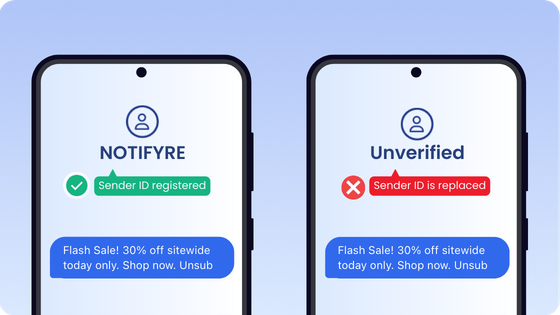
Example of a unverified sender ID message
Before you start
- Australian Business Number (ABN): If you do not have an ABN, contact Notifyre Support for guidance.
- Authorised contact details: These must match the authorised contact information listed on the Australian Business Register (ABR).
- myID login: A myID account (Standard strength) is required for ACMA identity verification during the registration process.
How to register an alphanumeric SMS Sender ID
-
Login to your Notifyre account
- Navigate to Settings and click on Custom Sender ID
- Click Register New
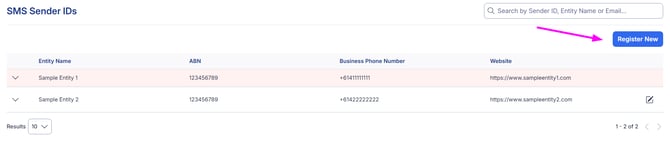
- Choose Alphanumeric as the Sender ID type
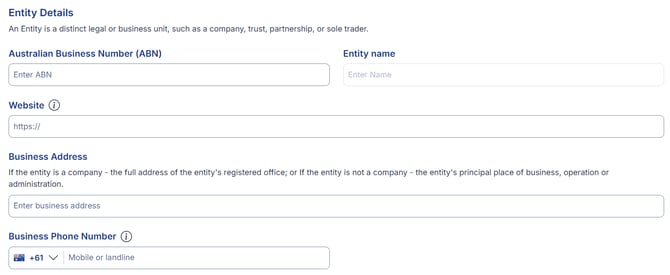
- Enter the Entity Details
- ABN (Entity name will automatically populate from the ABN register)
- Webiste
- Business Address
- Business Phone Number
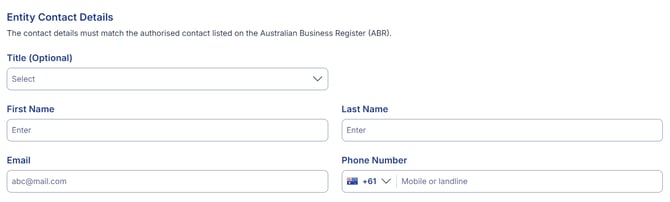
- Enter the Entity Contact Details for the authorised contact listed on the ABR. How to find the authorised contact on the ABR.
- Enter the Sender ID (2-11 characters, cannot start or end with spaces or underscores, cannot be numeric-only, must not contain prohibited words)
- Select a Valid Use Case
- Registered Business Name in the Business Names Register
- Registered Company Name in the Australian Business Register
- Registered Trademark in IP Australia's Trade mark Search
- Registered Domain Name on WHOIS
- There is an exception to the valid use case.
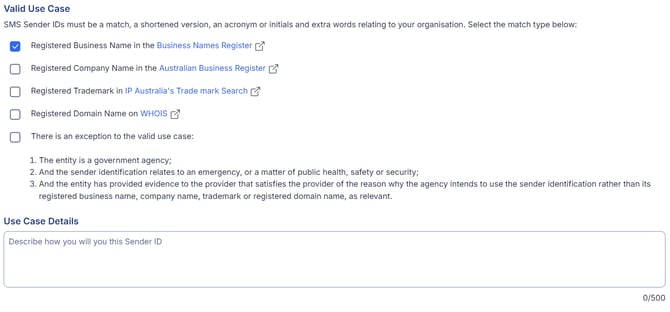
- Explain in a few sentences how you intend to use the Sender ID.
- Agree to the declaration and submit the application.
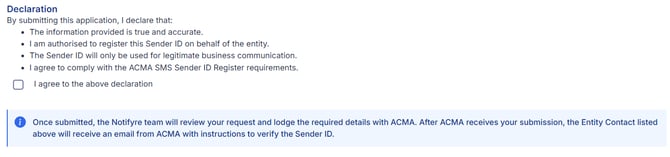
- The application status will change to 'In Progress'.
- As part of the ACMA's requirements, your application will be reviewed by Notifyre and then submitted to the ACMA for their processing.
- After Notifyre has submitted the application, your business's main ABN contact will receive an email from ACMA to confirm the application. The SMS Sender ID Register is on the ACMA’s online portal ACMA Assist. Your main ABN contact will need to prove their identity using the Australian Government’s Digital ID app myID when logging on to ACMA Assist to view, confirm and revoke sender IDs for your organisation.
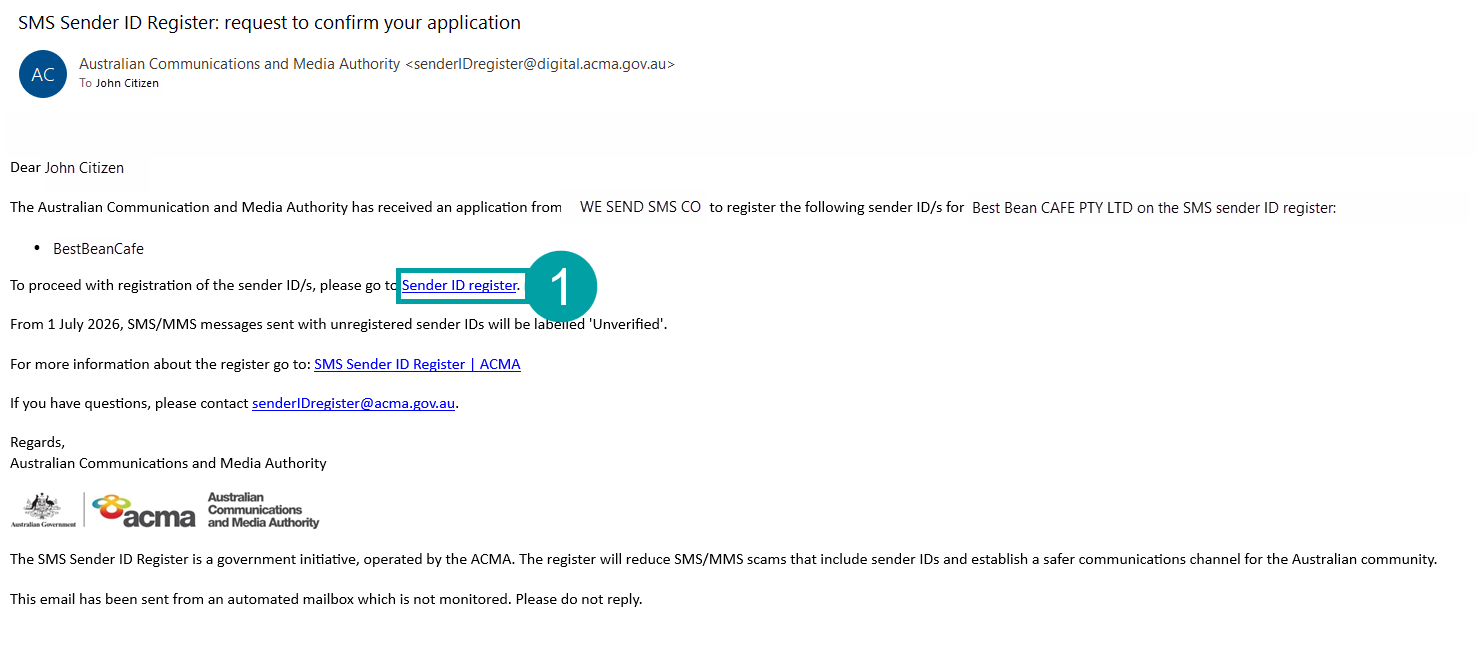
- Once your ABN contact has verified the SMS Sender ID application with ACMA, you will receive an email from ACMA & Notifyre upon approval or rejection.
- For ACMA approved registrations, the SMS Sender ID in Notifyre will automatically be updated to 'Ready For Use'.
- Once approved and 'Ready to Use', proceed to configure any required email-to-SMS Allowed Senders, account Sender ID defaults or update your API. Explore our guide on configuring SMS Sender ID default and other settings.
- For ACMA rejected registrations, the SMS Sender ID in Notifyre will automatically be updated to 'Rejected'. Depending on the rejection reason, you may be able to 'Edit'and resubmit an application.
You can login and view the status of each SMS Sender ID application within your Notifyre Dashboard. View alphanumeric SMS Sender ID registration statuses.
The ACMA will not process the application if your ABN main contact does not confirm both the participation in the Sender ID Register and each Sender ID you intend to use.
💡You must contact each SMS messaging provider that you want to send SMS messages with using alphanumeric SMS sender IDs to authorise them to send messages for you using your registered sender ID.
Explore our registration checklist or contact Notifyre Support for any assistance with SMS Sender ID registration.
Sender ID FAQs
Why did ACMA implement changes?
Scammers often impersonate trusted organisations using fake SenderIDs like “AusPost” or “myGov”. To prevent impersonation and protect consumers, the ACMA introduced a verified national register for all Sender IDs used in Australia. This will improve trust and significantly reduce SMS impersonation scams.
Does this affect numeric-only Sender IDs?
No. This only affects alphanumeric Sender IDs used by businesses.
Is there a cost to register?
The ACMA has indicated there may be no fees initially, but final pricing has not been confirmed.
Can a non‑ABN entity register a Sender ID?
Notifyre is currently unable to support non-ABN-holder registrations. Contact our team for more information.